

If you have seen videos claiming that AI can find thousands of potential customers for you, you may have wondered whether any of it is actually useful.
That is what made me curious about Gojiberry AI.
The idea is simple.
Connect Gojiberry AI to Claude, tell Claude the type of customer you want, and use the combined system to find, research, score, and organize sales prospects.
That sounds much more interesting than spending hours opening LinkedIn profiles, visiting company websites, copying names into spreadsheets, researching decision-makers, and writing outreach messages one at a time.
In this Gojiberry AI Review, I want to focus on two questions:
- Is Gojiberry AI actually useful for finding better prospects?
- How do you use Gojiberry AI with Claude in a practical way?
The biggest lesson is this:
You do not need the largest possible list of leads.
You need people who have a strong reason to need what you sell.
That is where Gojiberry AI becomes interesting.
What Is Gojiberry AI?
Gojiberry AI is a sales prospecting platform focused on helping users identify possible customers using company data, buying signals, social signals, ideal customer profiles, lead scoring, enrichment, and outreach tools.
At a basic level, you can think of it as a system that helps answer questions such as:
- Which companies match my target customer?
- Which companies may be growing?
- Which companies appear to be hiring?
- Which businesses may need my service?
- Who is the likely decision-maker?
- Which leads deserve attention first?
Traditional lead generation often starts with a database.
You enter filters such as:
- industry
- employee count
- location
- revenue
- job title
Then you export a list.
The problem is that a list can be technically correct and still commercially weak.
A company may match every filter but have no reason to buy from you.
Gojiberry AI tries to move closer to intent.
Instead of asking only:
Who matches my customer profile?
You can ask:
Who matches my customer profile and appears to have a reason to need my service right now?
That difference matters.
My Gojiberry AI Review: What Stood Out
The feature that interests me most is not the size of the lead database.
Many sales tools can find names and companies.
What stands out is the ability to connect Gojiberry AI to Claude and use natural-language requests to guide the prospecting process.
That changes the workflow.
Instead of going back and forth between a lead database, spreadsheet, research browser, and AI assistant, you can start using Claude as the interface.
You might ask:
Find B2B SaaS companies in the United States with 10 to 100 employees that appear to be hiring salespeople.
Then you can continue:
Rank the strongest prospects.
Then:
Research the top ten.
Then:
Explain why each company may need my service.
Then:
Create personalized outreach ideas.
That is much more interesting than simply exporting 5,000 email addresses.
For this Gojiberry AI Review, I would describe the strongest use case like this:
Gojiberry AI helps find the prospects. Claude helps you think through what to do with them.
That combination can be useful for freelancers, agency owners, consultants, salespeople, and anyone trying to sell a business service.
Want to see what Gojiberry AI can find for your business?
Try Gojiberry AI and start by defining your ideal customer. Instead of searching for thousands of random contacts, see if you can identify a small group of prospects showing real signs of buying intent.
→ Try Gojiberry AI
Why Use Gojiberry AI With Claude?
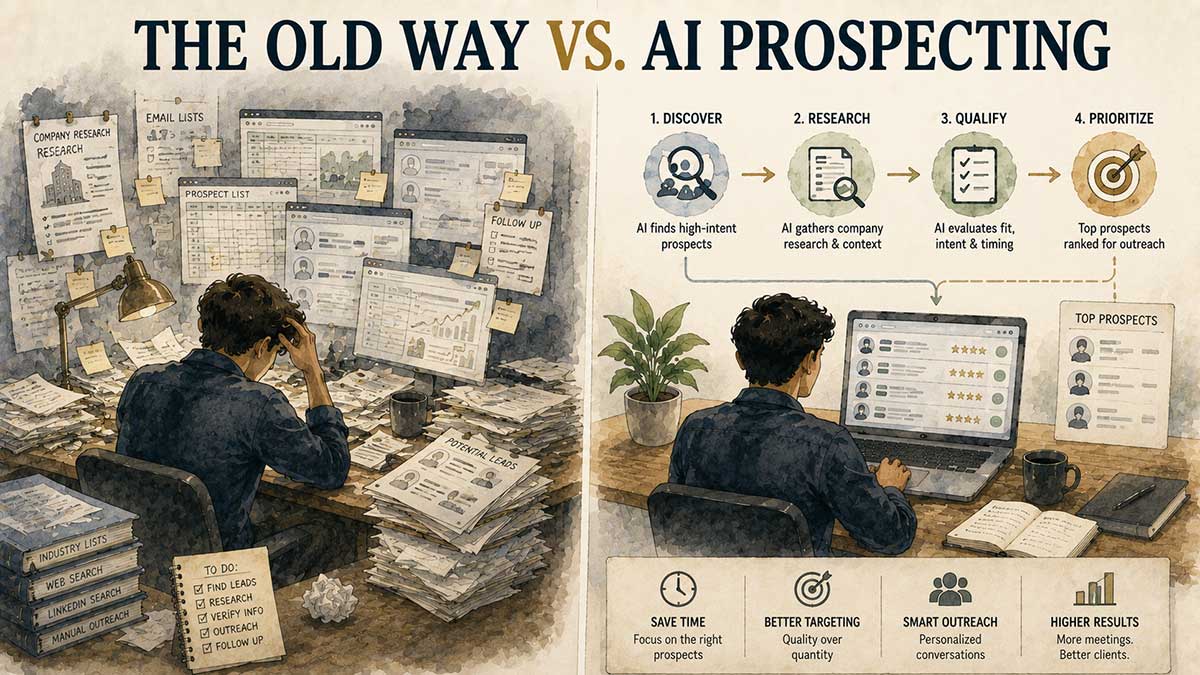
Claude is good at taking a vague idea and turning it into a structured plan.
Gojiberry AI is built around prospecting information and buying signals.
Connect the two and you can create a workflow such as:
Define target customer → Find prospects → Score leads → Research companies → Create outreach → Study responses → Refine targeting
That is a much better process than:
Find 10,000 emails → send the same message to everyone
Suppose you sell AI automation services.
A weak prospecting request might be:
Find local businesses.
That gives you very little direction.
A stronger request would be:
Find dental practices in the United States with 5 to 30 employees that may be struggling with missed calls, appointment follow-up, or front-desk workload. Prioritize practices that appear to be growing or hiring office staff.
Now you have something closer to an actual sales strategy.
You are no longer finding companies simply based on what they are.
You are finding companies based on what they may currently need.
How to Use Gojiberry AI With Claude
Now let’s go through the process.
If you came here searching for “how to use Gojiberry AI with Claude,” this is the part you will want to follow carefully.
Step 1: Create Your Gojiberry AI Account
Start with your Gojiberry AI account.
Once inside, look through the dashboard and become familiar with the settings, integrations, prospecting tools, ideal customer profile options, campaigns, and account area.
You do not need to launch anything yet.
The goal at this stage is simply to get access to the connector information you need for Claude.
One security rule matters here:
Do not publish your access code, API information, authentication token, or private connector credentials.
If you create screenshots for a blog post or YouTube video, hide sensitive information first.
Step 2: Open Claude's Connector Settings
Open Claude.
Look for the customization or connector area.
The setup path may appear similar to:
Customize → Connectors → Add Connector → Add Custom Connector
Claude can connect with outside services through MCP.
MCP stands for Model Context Protocol.
The simple explanation is that MCP gives Claude a structured way to work with outside tools.
Without a connector, Claude can help you think, research what it has access to, write, analyze, and organize.
With a connector, Claude may gain permission to communicate with another service.
In this case, that service is Gojiberry AI.
Step 3: Add the Gojiberry AI Connector
Inside Claude's connector setup, enter the connector information supplied by Gojiberry.
This may involve pasting a connector URL.
Follow the setup instructions shown in your account.
Click the option to add the custom connector.
Claude should then begin the authorization process.
Do not rush through authorization.
Read what you are granting access to.
The purpose is to give Claude enough permission to work with the Gojiberry features you need without blindly approving access you do not recognize.
Step 4: Authorize Gojiberry AI
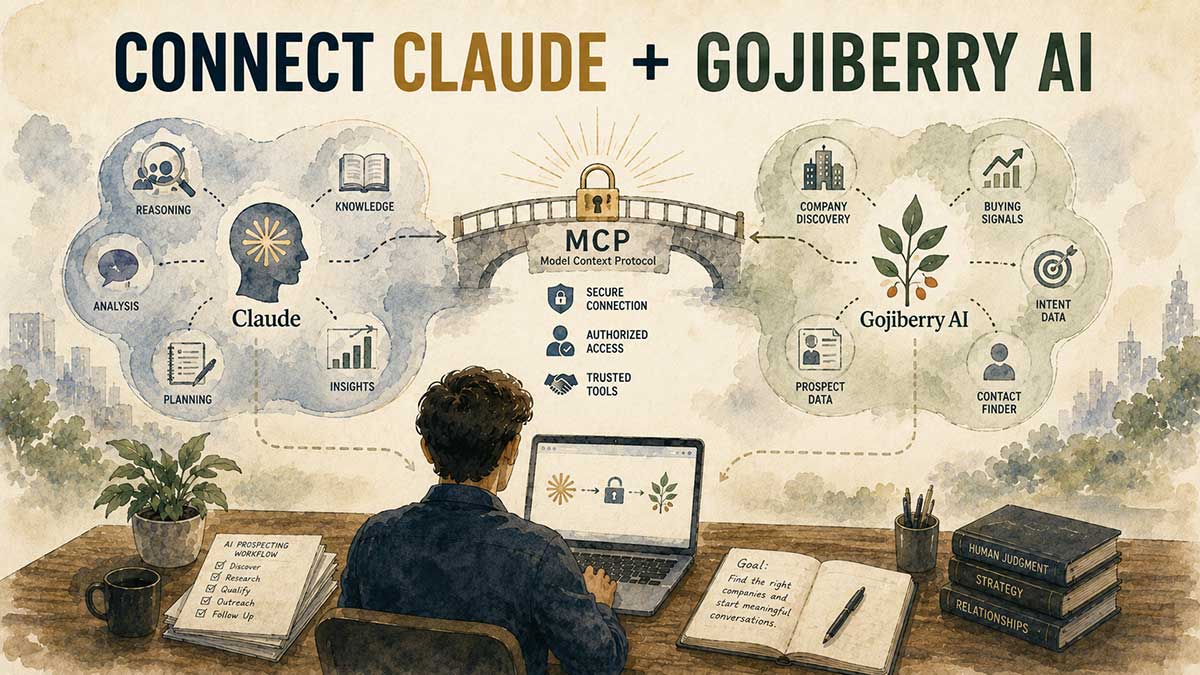
Return to your Gojiberry account.
Look in the settings or integration area for the Claude connection.
You may see an access code or another authorization method.
Copy the required information.
Return to Claude.
Paste the code if requested.
Complete the authorization.
At this point, Claude should be able to interact with the Gojiberry AI connection.
And this is where the process gets much more useful.
Most short videos would now tell you to ask for thousands of leads.
I would do something different.
Ready to connect Gojiberry AI with Claude?
Create your Gojiberry AI account, connect it to Claude, and follow the next steps to build your first targeted prospect search.
→ Get Started With Gojiberry AI
Step 5: Define Your Ideal Customer First

Before you search for prospects, define exactly who you want.
This is your Ideal Customer Profile, commonly called an ICP.
Suppose you sell AI receptionist services.
A basic ICP may look like this:
Industry: dental practices
Location: United States
Company size: 5–30 employees
Decision-maker: owner or practice manager
Problem: missed calls and appointment follow-up
Service: AI receptionist
Price: $1,000–$2,500 per month
Now Claude can reason about the type of company worth finding.
Try this:
I sell [SERVICE] for approximately [PRICE]. My strongest customer result is [RESULT]. Help me define the type of company most likely to need this service right now. Identify the best industries, company size, geography, decision-maker, common pain points, buying signals, and reasons they may purchase.
Then continue:
Give me the three strongest ICP options.
Then:
Which one appears easiest to identify using observable buying signals?
Then:
Which one appears most likely to have enough budget for this service?
This may sound like extra work.
It can save you a lot of wasted prospecting later.
Step 6: Find Prospects With Real Buying Signals

Now you can begin searching.
Try:
Using the connected Gojiberry AI tools, find 25 companies matching this ICP. For each company, identify the most relevant decision-maker, explain why the company matches my criteria, and identify any recent buying, hiring, growth, or business signal that makes the prospect interesting.
You can refine the request.
Example:
Find US B2B SaaS companies with 10 to 100 employees that appear to be expanding their sales teams. Prioritize companies showing hiring, growth, funding, product expansion, or other signs that may create a need for more lead generation. Identify the most relevant sales or growth decision-maker.
That is a much better lead search.
You are looking for signals such as:
- hiring
- new funding
- new locations
- new product launches
- new leadership
- growing advertising activity
- sales-team expansion
- marketing hires
- company growth
- public comments about a problem
These signals can give you a reason to contact the company.
That reason may be far more valuable than the email address itself.
Step 7: Ask Claude to Score the Leads
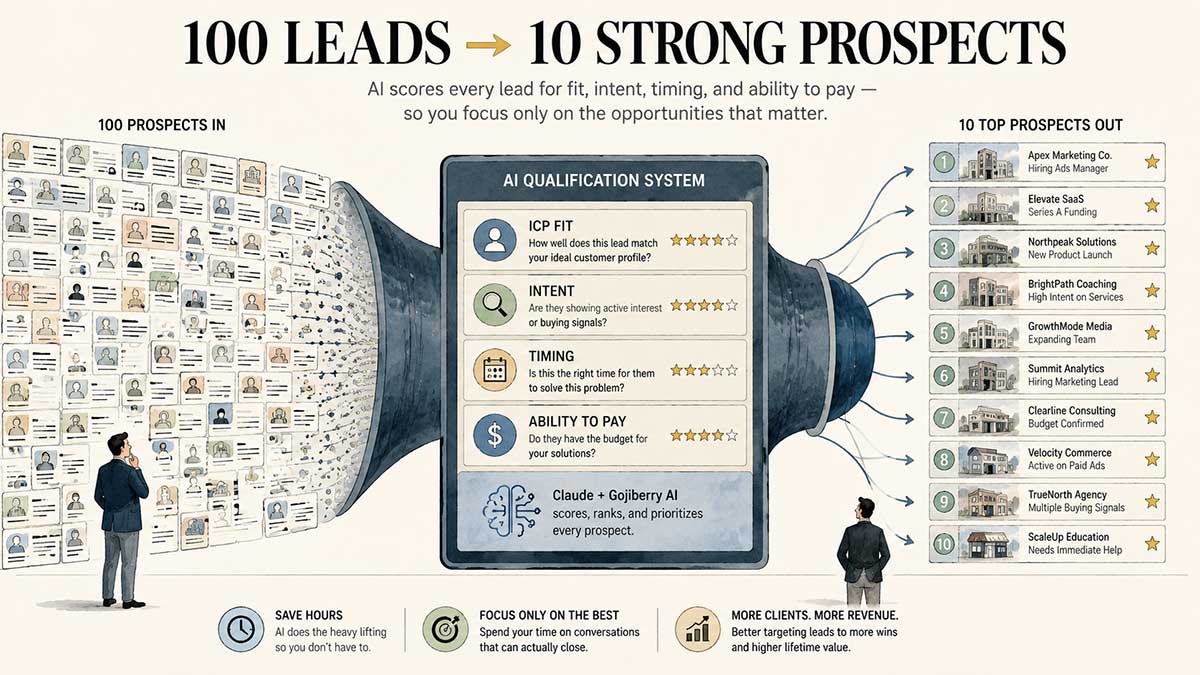
Do not treat every lead the same.
Ask Claude to rank them.
Try:
Score every prospect from 1 to 100 using four criteria: fit with my offer, evidence of need, timing, and estimated ability to pay. Explain why the ten highest-scoring prospects deserve priority.
You can create a scoring system like this:
ICP fit: 30 points
Intent signal: 30 points
Timing: 20 points
Estimated ability to pay: 20 points
Then organize the leads:
80–100: top priority
60–79: good prospect
40–59: worth monitoring
Below 40: skip for now
Now you have a ranked list instead of a giant spreadsheet.
That can make the next step much easier.
Step 8: Research the Top Prospects
Take the strongest prospects and ask Claude to go deeper.
Try:
Research the ten highest-ranked prospects. For each company, find a recent event, hiring change, growth development, business announcement, product launch, expansion, or problem that gives me a legitimate reason to contact them.
This is what I call the reason now.
Why should you contact this company today?
Maybe they hired several salespeople.
Maybe they opened a new location.
Maybe they launched a new product.
Maybe they started recruiting marketing staff.
Maybe they recently raised money.
Maybe their founder publicly mentioned a challenge.
A good prospect is not just someone who could buy.
A better prospect is someone who may have a reason to buy soon.
Step 9: Create Personalized Outreach With Claude
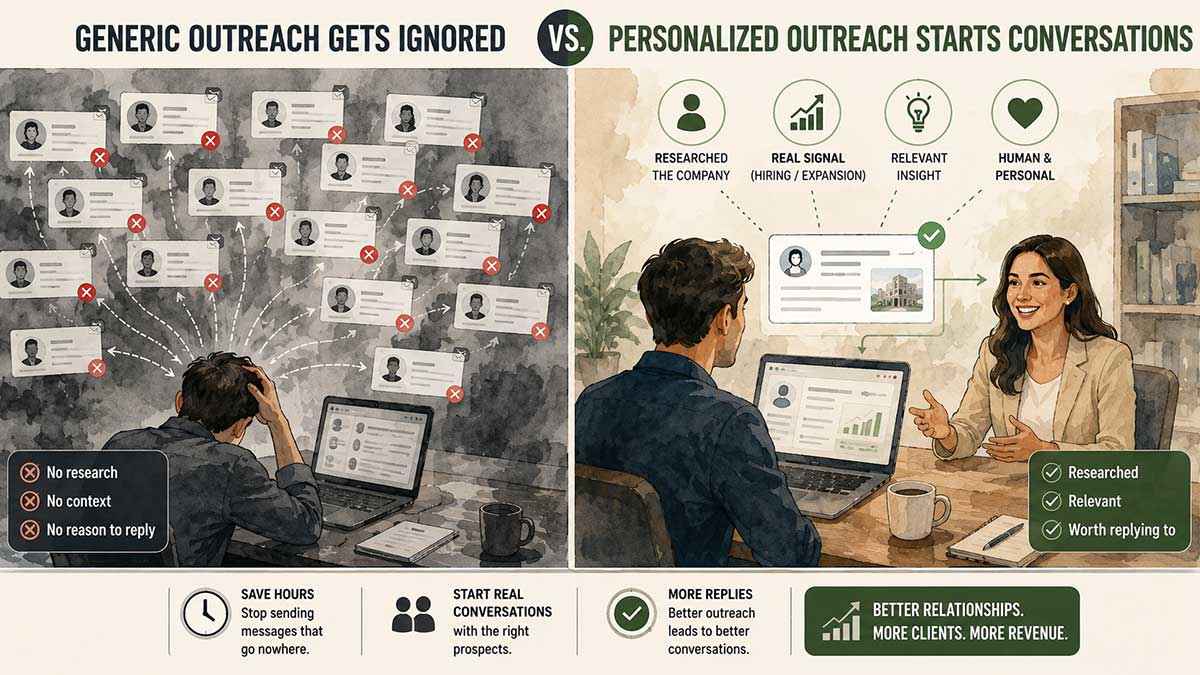
Once you have context, ask Claude to write your opening message.
Try:
Write a short personalized outreach message for each prospect. Reference the real signal we found. Do not pretend we know the person. Avoid fake compliments. Connect the business signal to the problem I solve and end with a low-pressure question.
Compare these two examples.
Weak Message
Hi Sarah, I came across your great company and was impressed with what you're doing. We help companies grow using AI. Would you like to schedule a call?
That sounds like mass outreach.
Better Message
Sarah, I noticed your team is hiring two new SDRs. Companies at that stage often need more qualified opportunities before the new reps become productive. We help SaaS teams build AI-assisted prospecting systems around that problem. Would it be useful if I showed you the structure?
The second message has context.
It explains why you are contacting the person.
It gives the prospect a reason to keep reading.
Turn prospect research into real conversations.
Use Gojiberry AI to identify promising prospects, then let Claude help you research why they may need your service and create a more relevant opening message.
Try Gojiberry AI With Claude
Step 10: Build a Follow-Up Sequence
One message is rarely enough.
Ask Claude:
Create a four-message follow-up sequence for this prospect. Each message should introduce a different useful idea rather than repeating the original pitch. Keep the messages short and natural.
A good sequence could look like this:
Message 1: mention the business signal
Message 2: explain the likely problem
Message 3: share a useful observation
Message 4: simple final check-in
Try not to send four versions of:
Just following up.
Each message should add something new.
Step 11: Analyze What Gets Responses
This may be one of the most valuable uses of Claude.
Once you have campaign results, ask:
Review my recent prospecting results. Which industries, company sizes, job titles, buying signals, outreach angles, and opening messages produced the strongest response?
Then ask:
Based on those results, create a revised ICP for my next campaign.
Now you have a learning loop.
Search → Contact → Measure → Learn → Refine
Your second campaign should be more focused than the first.
Your third campaign should be more focused than the second.
That is where the system can start becoming much more useful.
Gojiberry AI Review: Pros and Cons

No Gojiberry AI Review would be complete without looking at both sides.
Gojiberry AI Pros
Natural-Language Prospecting
You can work through Claude instead of relying only on database filters.
That makes prospecting easier for people who prefer describing what they want in normal language.
Intent-Focused Targeting
Finding signs of need can be much more valuable than finding companies that simply match demographic filters.
Lead Ranking
Claude can help organize prospects by fit, timing, and estimated opportunity.
Research Assistance
The combination can reduce the amount of manual research required before outreach.
Better Personalization
Real company signals can give you much stronger opening messages.
Useful for Service Businesses
Freelancers, agencies, consultants, salespeople, and AI automation businesses may find the workflow useful.
Gojiberry AI Cons
It Cannot Fix a Weak Offer
If nobody wants your service, finding more prospects will not solve the problem.
Prospect Quality Depends on Your ICP
A weak target definition can still produce weak results.
AI Can Make Mistakes
Review important facts before contacting someone.
You Still Need Human Judgment
A lead score is useful, but it should not replace common sense.
Outreach Still Requires Skill
Finding a prospect does not guarantee a response.
Cost Matters
Someone just starting out should compare the subscription cost with how much prospecting they realistically plan to do.
The Part Most AI Side-Hustle Videos Leave Out
Finding leads is not the same as making money.
Your business still needs:
Offer → Prospect → Conversation → Sale → Delivery → Retention
AI can help you find people.
It can help you research.
It can help you write.
It can help you organize.
It cannot guarantee that someone will buy.
This matters if you found Gojiberry through a video claiming something like:
Don't get a part-time job. Just connect this and let AI find customers.
That makes a good hook.
It should not be treated as a financial guarantee.
A part-time job gives you predictable income.
A business gives you uncertain upside.
Those are different decisions.
I would use Gojiberry AI to test a service offer before making bigger decisions.
Try the $1,000 Client Experiment
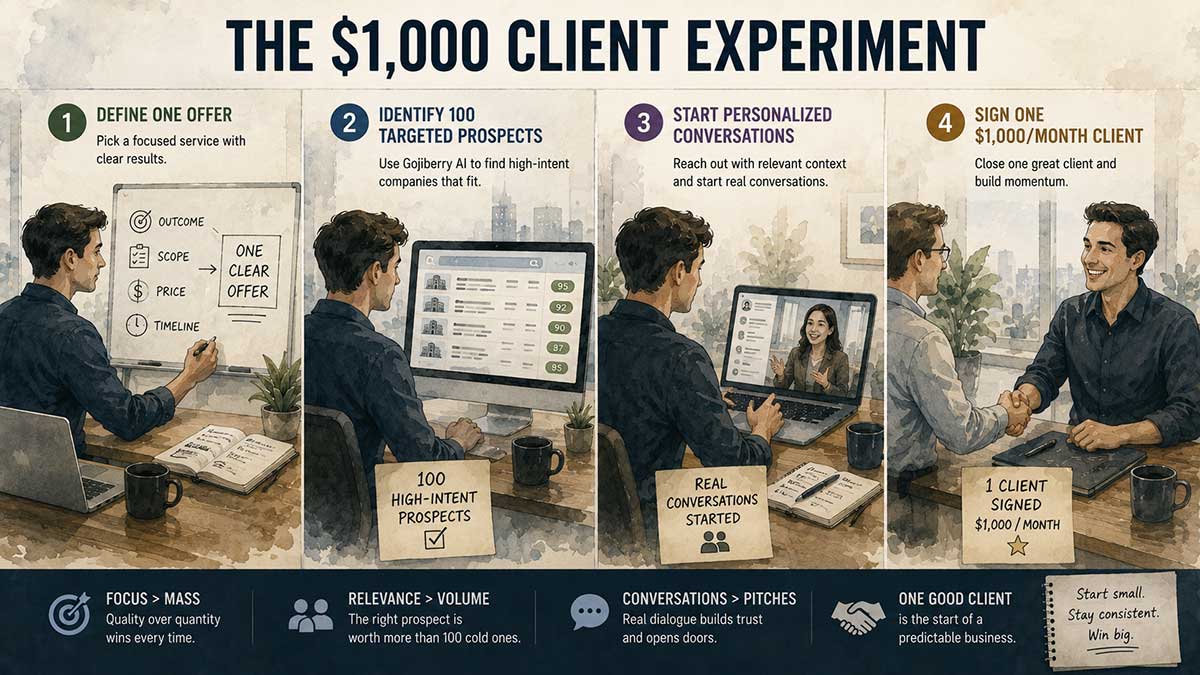
Here is the experiment I would run.
Do not start with:
How can I make $10,000?
Start with:
Can I use this system to get one paying client?
That gives you a clear test.
Week 1: Create One Offer
Choose one customer.
Choose one problem.
Choose one service.
Choose one price.
Example:
I help dental practices install an AI receptionist that handles missed calls and appointment follow-up for $1,000 per month.
That is easier to understand than:
I do AI consulting.
Week 2: Find 100 Targeted Prospects
Use Gojiberry AI with Claude.
Find companies matching your ICP.
Rank them.
Research the strongest leads.
Do not contact everyone immediately.
Week 3: Contact the Best Prospects
Start with a small number of high-quality prospects each day.
Personalize the opening.
Track replies.
Track meetings.
Track objections.
Track interest.
Week 4: Improve the Target
Ask:
Which companies responded?
Which ignored the message?
Which buying signals were strongest?
Which decision-maker responded most often?
Which opening worked best?
Then use Claude to rebuild your next prospecting criteria.
If you get one $1,000 monthly client, you have learned something important.
You have evidence that your offer, targeting, and outreach may work.
That is much more valuable than collecting thousands of contacts you never speak to.
My Favorite Gojiberry AI + Claude Prompt
If you want one reusable prompt, start here:
You are my AI prospecting assistant.
My service is: [SERVICE]
My price is: [PRICE]
My ideal customer is: [ICP]
Geography: [LOCATION]
Use the connected Gojiberry AI tools to identify prospects matching this profile.
Prioritize companies showing evidence of active need rather than simply matching demographic criteria.
For every prospect, give me:
- Company name
- Relevant decision-maker
- Job title
- Company size
- Relevant intent signal
- Why the prospect matches my offer
- Lead score from 1–100
- Personalized outreach angle
Rank the prospects from strongest to weakest.
Do not invent missing information. Clearly identify anything that cannot be verified.
After ranking the prospects, explain what the highest-scoring leads have in common and suggest how I should improve my ICP.
You can then continue the conversation instead of starting over.
Ask:
Research the top ten.
Then:
Create outreach messages.
Then:
Create follow-ups.
Then:
Analyze the results.
That is where the Claude connection can become useful.
Is Gojiberry AI Worth It?

My view after researching this Gojiberry AI Review is that the most interesting part is not automated lead volume.
It is the ability to combine prospecting signals with Claude's reasoning and writing capabilities.
If you already have a clear service and know roughly who should buy it, Gojiberry AI may help reduce the manual work involved in finding and researching prospects.
If you do not know what you sell, who you sell it to, or why someone should care, I would solve those problems first.
The best way to use Gojiberry AI with Claude is not:
Find everyone.
It is:
Find the people with the strongest reason to need my offer right now.
Start with 25 prospects.
Study them.
Rank them.
Contact the best ones.
See what happens.
Then refine.
That is a much more practical way to use AI for client acquisition than chasing the biggest possible lead list.
And if Claude and Gojiberry AI can help you turn hours of manual prospect research into a focused list of people who may actually need what you sell, that is where this combination starts to become genuinely useful.
Start With 25 Prospects, Not 10,000
If you already have a service to sell, try Gojiberry AI with one simple experiment: define your ideal customer, find 25 high-intent prospects, rank them, research the best ones, and start conversations.
Check Out Gojiberry AI

Leave a Reply