
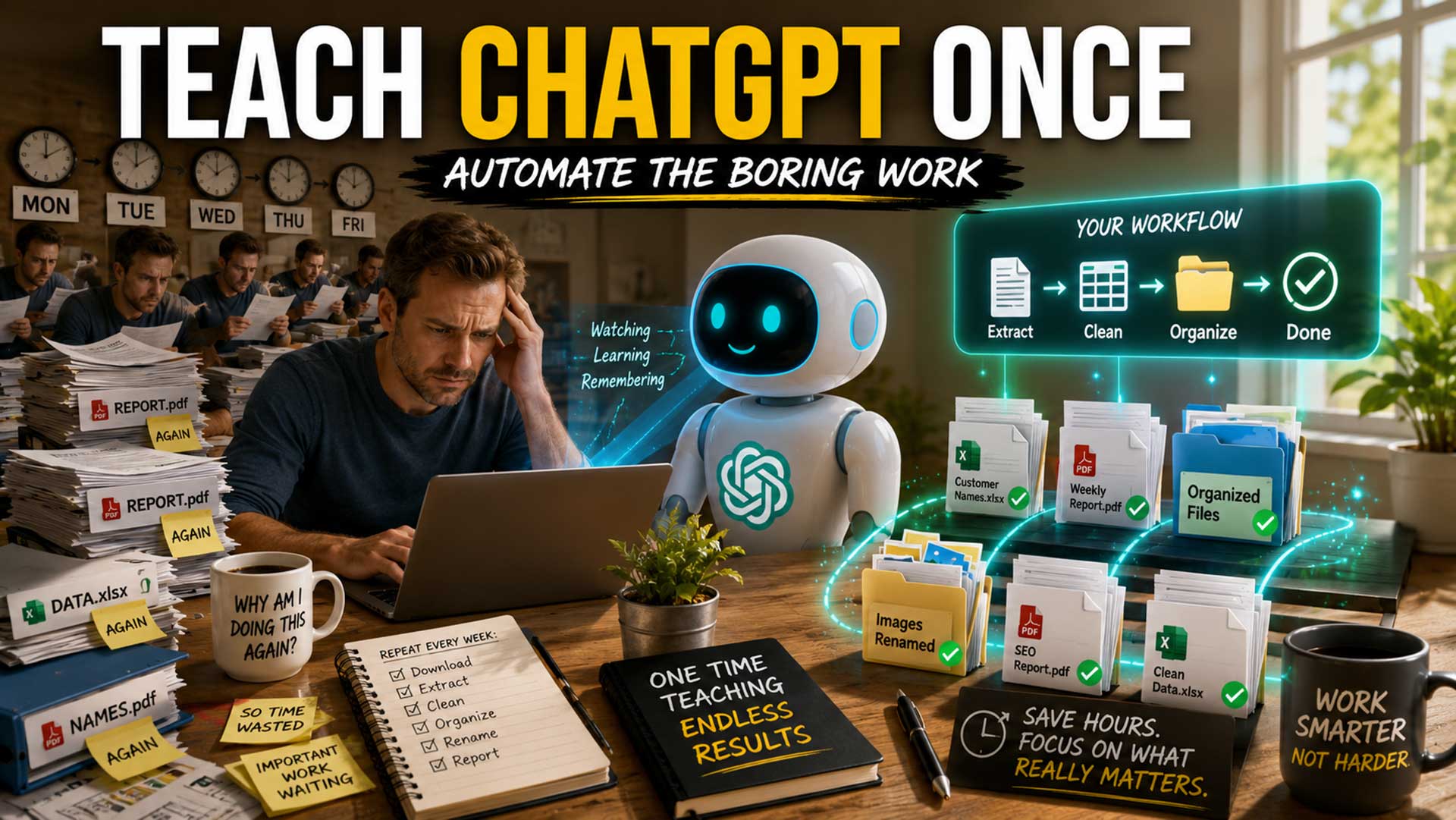
How many times did you do the same thing on your computer last week?
Open a website.
Download a file.
Find the information you need.
Copy it somewhere else.
Delete the parts you don't need.
Rename the file.
Save it.
Then come back a few days later and do exactly the same thing again.
The frustrating part isn't that these tasks are difficult.
It's that you've already figured them out.
There is nothing new to learn. No important decision to make. No creative problem to solve.
Yet they keep taking your time.
Ten minutes every Monday doesn't seem serious. Neither does five minutes processing a document or 15 minutes preparing a weekly report.
But 15 minutes repeated five times a week is more than 60 hours a year.
And most of us don't have just one repetitive task.
We have dozens.
That's why one of the most interesting new ideas in ChatGPT automation isn't another clever prompt.
It's much simpler:
Do the task once and let ChatGPT watch how you do it.
OpenAI's Record & Replay feature can turn a demonstrated computer workflow into a reusable Skill. Instead of trying to describe every click, rule, and exception from scratch, you demonstrate the process and help ChatGPT learn the procedure.
The next time the job appears, you can reuse the Skill with the new information.
This doesn't mean handing your computer over to AI and hoping for the best.
The real opportunity is far more practical:
Let ChatGPT handle repeatable execution. Keep important judgment for yourself.
In this tutorial, I'll show you how to identify a good task to automate, demonstrate it properly, teach ChatGPT your rules and exceptions, test the resulting Skill, and gradually build a library of reusable workflows.
What Is ChatGPT Record & Replay?
Record & Replay is an OpenAI feature for demonstrating a computer workflow and turning that demonstration into a reusable Skill.
At the time of writing, OpenAI says Record & Replay is available to eligible users through its desktop experience using Codex on macOS and requires Computer Use.
Availability and interface details can change, so check the current OpenAI documentation if you don't see the feature in your account.
The interesting part isn't the recording itself.
It's what the recording can become.
OpenAI describes Skills as reusable workflows that can contain instructions, examples, code, and supporting resources.
You can think of a Skill as an AI-readable Standard Operating Procedure, or SOP.
Traditionally, you might have written an SOP like this:
- Open the monthly report.
- Go to page 4.
- Find the customer list.
- Copy each customer name.
- Ignore status information in parentheses.
- Put the names into a spreadsheet.
- Save the spreadsheet using this naming convention.
With Record & Replay, you can demonstrate that procedure and use the demonstration to help create the Skill.
That changes an important part of automation.
Instead of describing everything you do, you can start by showing it.
Why Showing ChatGPT May Be Easier Than Building an Automation
Businesses have automated repetitive work for decades.
Macros, scripts, APIs, Zapier, Make, and similar systems can save enormous amounts of time.
But there is often a hidden problem.
Before automating a task, somebody has to translate what a human does into rules a computer can follow.
That's easy when the workflow is:
When A happens, do B.
It becomes harder when the instructions sound like this:
“Use this information unless it looks like this. Ignore these entries, except when this other condition appears. If the document is formatted slightly differently, look here instead. If you're uncertain, ask me.”
Humans learn workflows like this surprisingly well.
We watch someone.
We try it.
We make a mistake.
They correct us.
We try again.
Record & Replay brings some of that teaching model to AI automation.
Which leads to a question I think many business owners should consider:
If you've already learned how to perform a repetitive task, why should you have to learn programming just to automate it?
You may be able to start by demonstrating what you already know.
Step 1: Find the Task That Annoys You
 Don't begin with ChatGPT.
Begin with your workday.
Ask yourself:
What did I do this week that I've already done dozens of times before?
That question is far more useful than asking, “What can AI automate?”
Look for repetitive pain.
Maybe every Friday you download reports from the same place.
Maybe you repeatedly extract information from PDFs.
Maybe every blog post requires the same preparation.
Maybe you spend 20 minutes every morning organizing files.
Maybe client reports require the same ten steps every month.
Those are potential candidates.
Before choosing one, ask four questions:
1. Does the task have a clear starting point?
2. Are most of the steps repeated each time?
3. Can I explain the common exceptions?
4. Can I easily recognize a correct result?
Four yeses make it worth investigating.
For your first attempt, don't choose the most important process in your company.
Choose something boring and forgiving.
If the AI makes a mistake, you should be able to recognize and correct it easily.
Step 2: Explain the Goal Before You Record
Suppose you receive a PDF containing something like this:
John Smith
(Temporary)
Mary Jones
Robert Williams
(Inactive)
Your job is to extract the names:
John Smith
Mary Jones
Robert Williams
The parenthetical information shouldn't be included.
You could simply start recording yourself performing the task.
But I would give ChatGPT context first.
For example:
“I'm going to show you how I extract customer names from our monthly PDF. Ignore status information appearing inside parentheses. Never invent missing information. The final result should contain one customer name per row.”
Now ChatGPT knows three things:
The goal: Extract customer names.
The rule: Ignore parenthetical status information.
The expected output: One valid name per row.
A simple formula works well here:
Goal → Rules → Demonstration
Don't make AI reverse-engineer your objective solely from mouse movements.
Tell it what success looks like.
Step 3: Perform the Task Like You're Training a New Employee
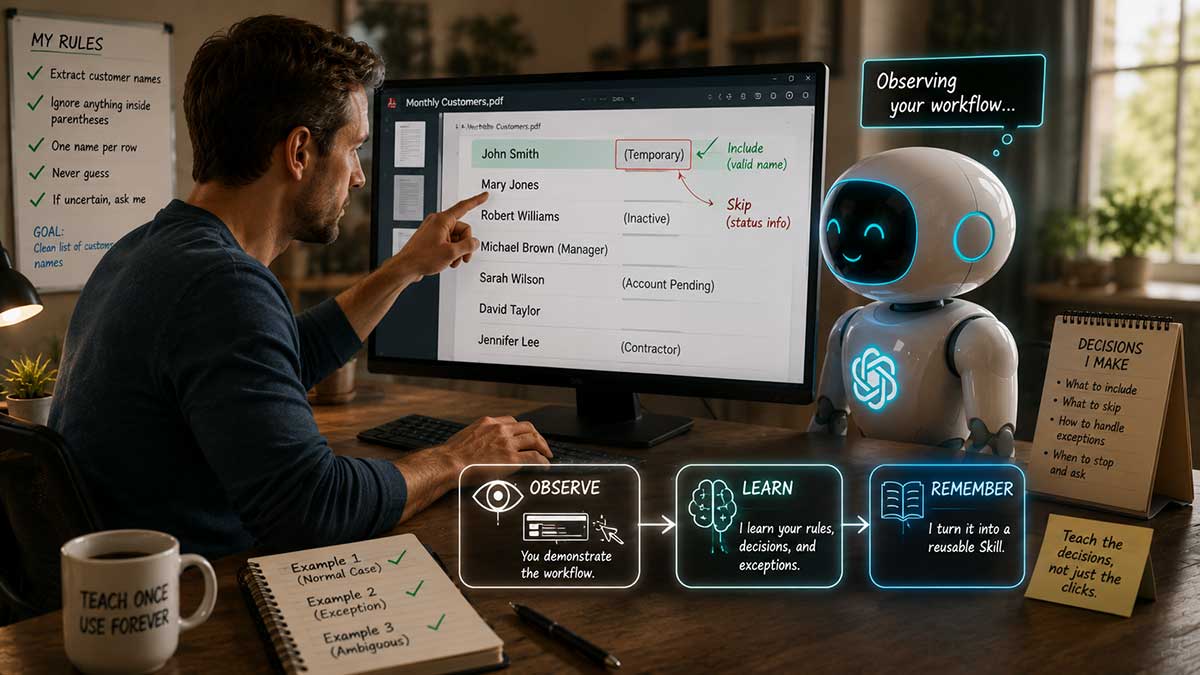
Now perform the workflow slowly.
Don't think of it as recording your screen.
Think of it as training someone.
When you select:
John Smith
explain that it is a valid customer name.
When you skip:
(Temporary)
explain why.
For example:
“I'm skipping this because text inside parentheses is status information and should not be included.”
Then continue.
This is one of the biggest lessons to take away from Record & Replay:
Teach the decision, not just the click.
A button can move.
A document can change.
A website can be redesigned.
But the business rule may remain:
Status information doesn't belong in the customer-name field.
That is the knowledge you really want to preserve.
Step 4: Show ChatGPT the Messy Examples
Real work rarely looks exactly like the training example forever.
Your next document might contain:
Michael Brown (Manager)
Now we have a new question.
Should ChatGPT remove the entire line?
Or should it extract:
Michael Brown
and remove only:
(Manager)
A human familiar with the job probably knows immediately.
AI needs the rule.
So teach several types of examples when they commonly occur.
Normal case
Show what happens most of the time.
Exception
Show a less common variation and explain what changes.
Ambiguous case
Show ChatGPT what to do when the correct answer isn't obvious.
This last category matters.
The goal isn't to convince ChatGPT that it always knows the answer.
The goal is to teach it when it doesn't.
Step 5: Create a “Stop and Ask” Rule
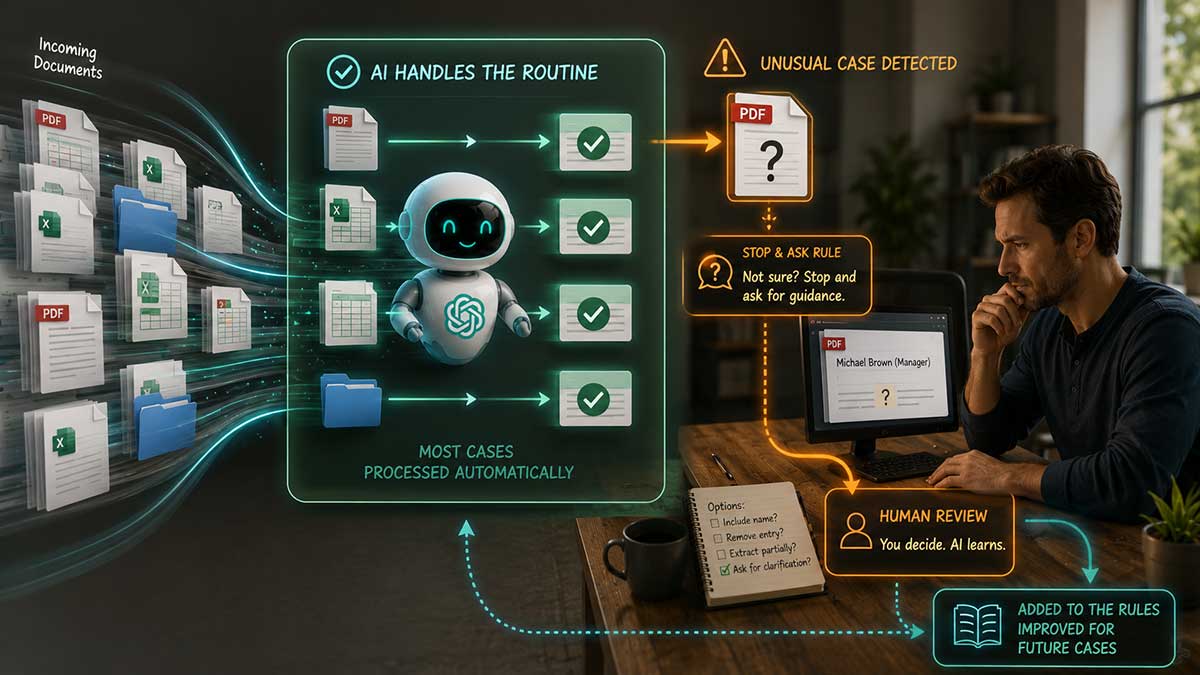
For many business workflows, I would explicitly add this instruction:
“If you encounter something that doesn't match the rules or examples I've given you, stop and ask me rather than guessing.”
I call this the Stop and Ask Rule.
It solves one of the biggest misconceptions about automation.
People often assume the ultimate automation removes humans entirely.
But consider another model:
AI handles 90 routine cases.
Nine require slightly different rules that AI already knows.
One is genuinely strange.
Instead of guessing on the strange case, ChatGPT brings it to you.
You spend your attention on the one case that requires judgment rather than manually processing all 100.
That is a much more interesting form of productivity.
Step 6: Turn the Demonstration Into a Reusable Skill
Once your demonstration is finished, Record & Replay can help turn what you demonstrated into a Skill.
OpenAI's Skills system is built around reusable workflows. Skills can contain instructions, examples, supporting resources, and code needed for particular tasks.
This means your demonstration can become more than a screen recording.
It can become a reusable operating procedure.
Before using it repeatedly, review what was created.
Check whether the Skill understands:
- What triggers the workflow
- What information it needs
- Which steps should be performed
- Which information should be ignored
- How exceptions should be treated
- When ChatGPT should ask you
- What the final result should look like
Don't treat Version 1 as finished.
Treat it like the first draft of an SOP.
Step 7: Test Your Skill on New Data
Here's where you'll discover whether your automation is genuinely useful.
Don't immediately test it on the same document you used for training.
Use something new.
I would run three tests.
Test 1: Easy
Give it a normal example that closely resembles the demonstration.
Did it complete the task correctly?
Test 2: Different
Give it a document with a slightly different format.
Does it still understand the underlying procedure?
Test 3: Exception
Give it a known edge case.
Does it apply your rule?
Or does it guess?
You're trying to determine:
Did ChatGPT learn my procedure, or did it merely reproduce my example?
That distinction matters.
Step 8: Turn Every Mistake Into a Better Rule
Suppose ChatGPT encounters:
Michael Brown (Manager)
and removes the whole line.
Don't simply fix the output.
Fix the procedure.
Tell it:
“When a person's name and parenthetical information appear on the same line, keep the name and remove only the information inside parentheses.”
Now you have discovered another business rule.
Add that knowledge to your Skill.
A week later, another unusual situation appears.
Teach that one too.
This creates a useful feedback loop:
Demonstrate → Test → Find weakness → Correct → Reuse
Your first version doesn't have to anticipate every possible situation.
It needs to work well enough that you can discover and correct the missing rules.
Step 9: Put Safety Rules Into the Workflow
Before trusting any computer automation, think about what it should never do without your permission.
Depending on the workflow, useful rules could include:
“Never delete an original file.”
“Never overwrite an original document.”
“Never send an email without my approval.”
“Never publish anything publicly without approval.”
“Never complete a financial transaction.”
“Never change passwords or security settings.”
“If you're uncertain about information, flag it.”
“If the website or document looks substantially different, stop.”
OpenAI recommends care around sensitive information during Record & Replay demonstrations too.
The principle I use is simple:
Automate execution. Keep judgment.
You don't need AI making every decision for automation to save enormous amounts of time.
Step 10: Reuse the Skill Instead of Rewriting the Prompt
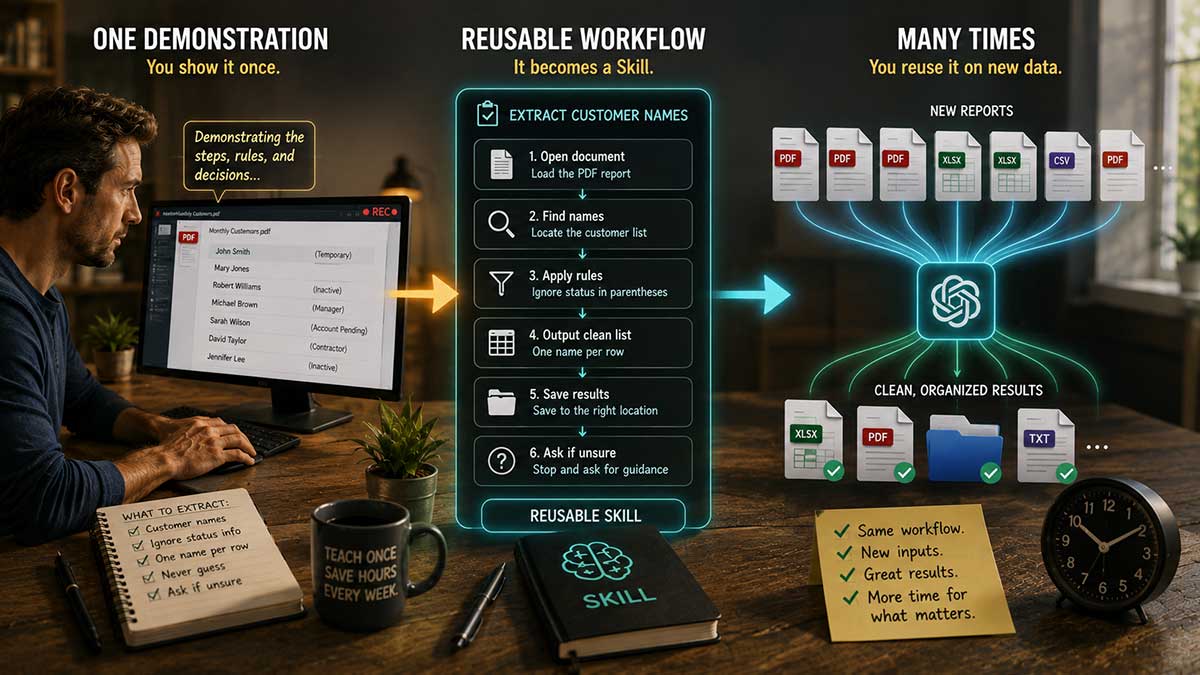
Now we reach the payoff.
Next week, another PDF arrives.
Instead of explaining your entire procedure again, you can ask ChatGPT or Codex to use the relevant Skill and provide the new material.
The procedure already exists.
That's a significant difference from how many people currently use ChatGPT.
They repeatedly type variations of the same giant prompt.
If you find yourself constantly copying an old prompt, changing three details, and submitting it again, ask whether you're actually dealing with a reusable process.
A Skill may be a better home for that knowledge.
10 Repetitive Tasks You Could Teach ChatGPT
Once you start looking for repetitive pain, potential workflows appear everywhere.
Here are ten I would investigate.
1. Extract Information From PDFs
Extract names, dates, addresses, product information, invoice numbers, or recurring fields from documents following recognizable patterns.
2. Prepare Weekly SEO Reports
Gather the same metrics, organize them consistently, identify meaningful changes, and prepare the information for review.
3. Prepare SEO Article Research
If your research process repeatedly includes keywords, search intent, competing content, questions, statistics, and source organization, much of the preparation follows a pattern.
4. Organize Affiliate Marketing Research
Standardize how you collect product information, commissions, pricing, selling points, limitations, competitor offers, and promotional angles.
5. Prepare Blog Publishing Assets
Organize images, filenames, metadata, article folders, checklists, and other materials needed before publication.
6. Clean Spreadsheet Data
Teach rules for duplicate entries, blank fields, formatting problems, recurring cleanup, and items requiring human review.
7. Prepare Client Reports
Gather recurring information and place it into a consistent report structure before a human reviews the conclusions.
8. Organize Downloaded Files
Apply consistent naming conventions and place recurring file types into the appropriate locations.
9. Prepare YouTube Assets
Organize video files, thumbnails, descriptions, research documents, filenames, and publishing checklists.
10. Process Recurring Documents
Invoices, applications, reports, forms, research papers, and other recurring documents often contain repeatable extraction and organization tasks.
You don't need all ten.
You need one that keeps stealing your time.
Build Your Own Library of ChatGPT Skills
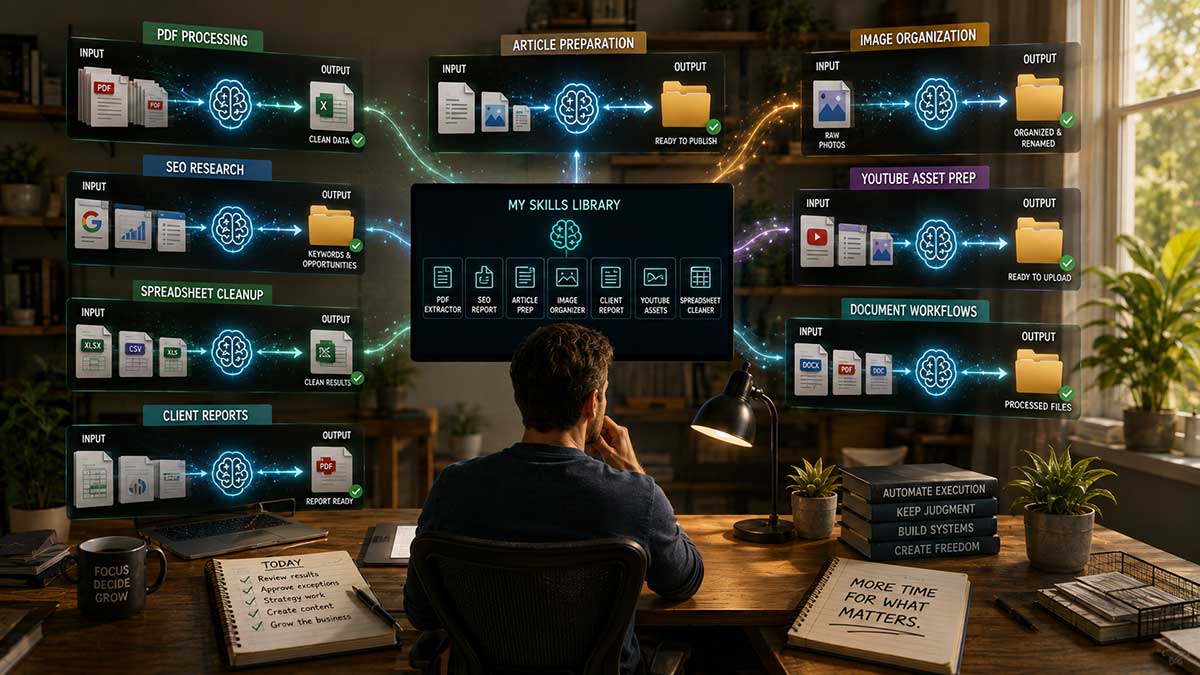
One five-minute automation isn't particularly exciting.
The math changes when you build several.
You might eventually have reusable workflows for:
weekly-seo-report
extract-pdf-data
affiliate-research
prepare-article
organize-images
clean-spreadsheet
client-report
prepare-youtube
Now think about your workweek.
Instead of personally executing every repetitive procedure, you increasingly focus on deciding what should happen and reviewing the work that actually requires judgment.
The procedures themselves become reusable assets.
For businesses, this has another implication.
Many companies have valuable processes trapped inside employees' heads.
Someone knows exactly how the weekly report is prepared.
Someone else knows how incoming documents are processed.
Another person knows the peculiar five-step procedure required before publishing something.
Recorded workflows and reusable Skills create another possible way of capturing some of that institutional knowledge.
When You Should NOT Use Unsupervised AI Automation
Start with low-risk tasks.
Be cautious with anything involving:
- Financial transactions
- Destructive file changes
- Sensitive personal data
- Contracts
- Legal decisions
- Security settings
- Public statements
- Irreversible actions
- High-stakes communications
- Decisions requiring significant subjective judgment
A good first workflow has two characteristics:
Mistakes are easy to notice.
Mistakes are easy to reverse.
Once you understand how the system behaves, you can consider more sophisticated workflows with appropriate human checkpoints.
ChatGPT Skills vs. Zapier, Make, and Traditional Automation
Recorded AI workflows don't make traditional automation obsolete.
The tools solve different types of problems.
Traditional automation works extremely well when the rules are predictable:
Trigger A → Action B → Send data to C
AI-based workflows become particularly interesting when the instructions sound more human:
“Look at this document.”
“Find the relevant information.”
“Ignore these kinds of entries.”
“Follow these rules.”
“Flag anything unusual.”
“Prepare the result for me.”
Traditional automation is excellent at predictable movement.
AI can be useful for interpretation and flexible procedures.
In many cases, the strongest workflow may combine them.
Let traditional automation handle predictable operations.
Let AI handle messy interpretation.
Let humans handle important judgment.
The Bigger Change: Stop Writing the Same Prompt Over and Over
We've spent the past few years learning how to talk to AI.
Write better prompts.
Provide more context.
Explain every requirement.
Give examples.
Specify the output.
Those skills remain useful.
But Record & Replay suggests another direction for AI.
Sometimes the best instruction may be:
“Watch me.”
That's significant for one simple reason.
You don't need to know how to program your job.
You already know how to do your job.
The knowledge exists.
The challenge is transferring some of that knowledge into a form AI can reuse.
Demonstration gives us another way to do that.
Your First Automation Should Take About 10 Minutes
Don't finish this article by making a list of 50 things you might automate someday.
Try one.
Tomorrow, pay attention to the moment you think:
“Why am I doing this again?”
Stop.
You've probably found your candidate.
Ask yourself:
Can I demonstrate it?
Can I explain the decisions?
Can I show a normal example?
Can I show an exception?
Can I define when ChatGPT should ask me for help?
If yes, teach it.
Test the workflow on something new.
Correct what it gets wrong.
Use it again.
Then find the next repetitive task.
Five minutes saved doesn't change much.
But five minutes saved repeatedly across ten different workflows starts to change how you spend your day.
And that may be the most useful way to think about AI automation.
Don't start by asking ChatGPT what it can do for you.
Start with the work you never want to do twice.

Leave a Reply