
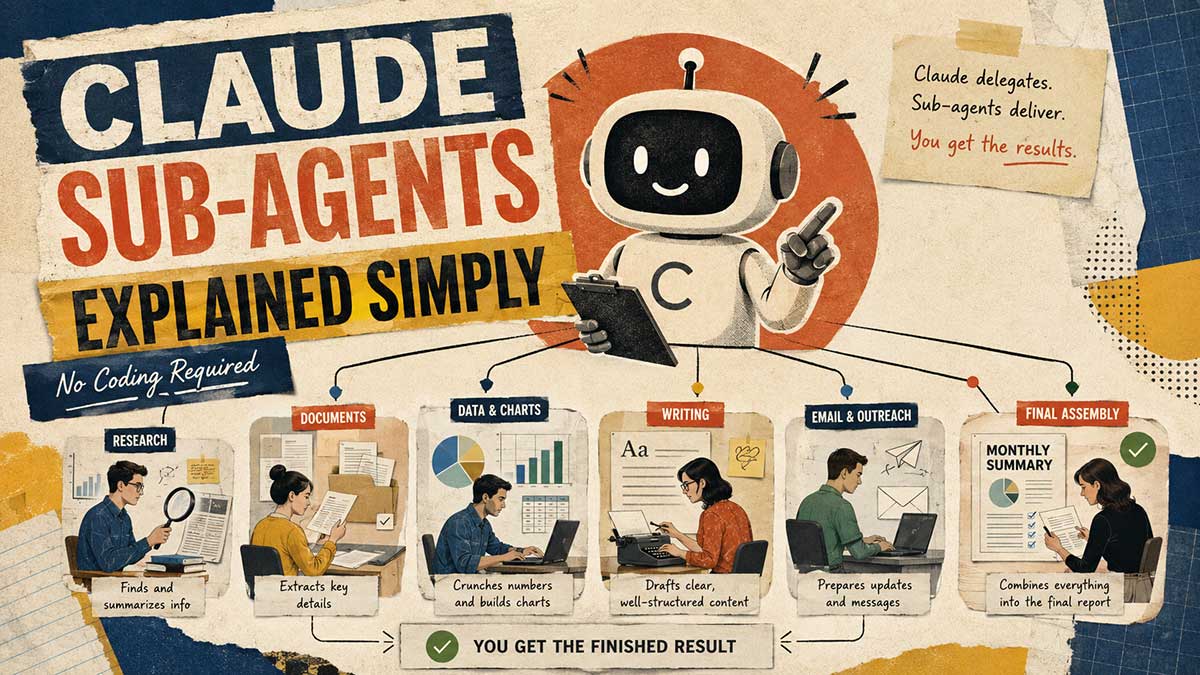
Search for "Claude sub-agents" right now and almost everything that comes back assumes you already live in a terminal. YAML frontmatter, git worktrees, token cost tables, all written for developers running Claude Code. If you're not one of them, most of that content might as well be in another language.
Here's the plain version. Claude sub-agents, explained simply: a sub-agent is just a worker Claude delegates to. It handles one job, in its own separate space, and hands you back the result, not the mess it took to get there. In practice, it looks like this: you ask for something, Claude splits the work between a few separate workers behind the scenes, each one comes back with just their piece, and Claude hands you the finished result. You don't need a coding background to use this, and you don't need one to understand it either.
1. What a sub-agent actually is, without the jargon
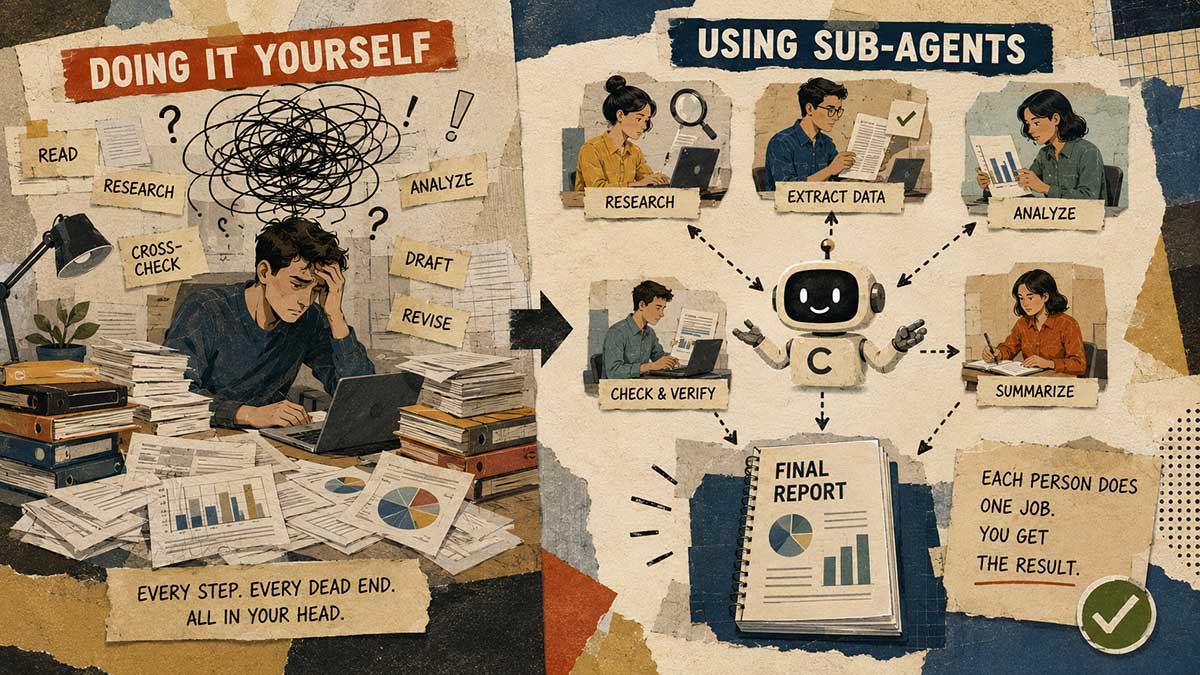
Picture the difference between doing a task yourself and handing it to someone on your team. When you do it yourself, every step, every dead end, every "let me try this instead" happens in your own head, and you carry all of it forward into whatever you do next.
A sub-agent is Claude handing a piece of work to someone else instead of doing it all itself in one long stream of thought. That someone else works in their own space, separate from your main conversation, and reports back only the outcome. You never see the false starts. You just get the finished piece.
2. Why it exists, one overloaded conversation vs. isolated workers
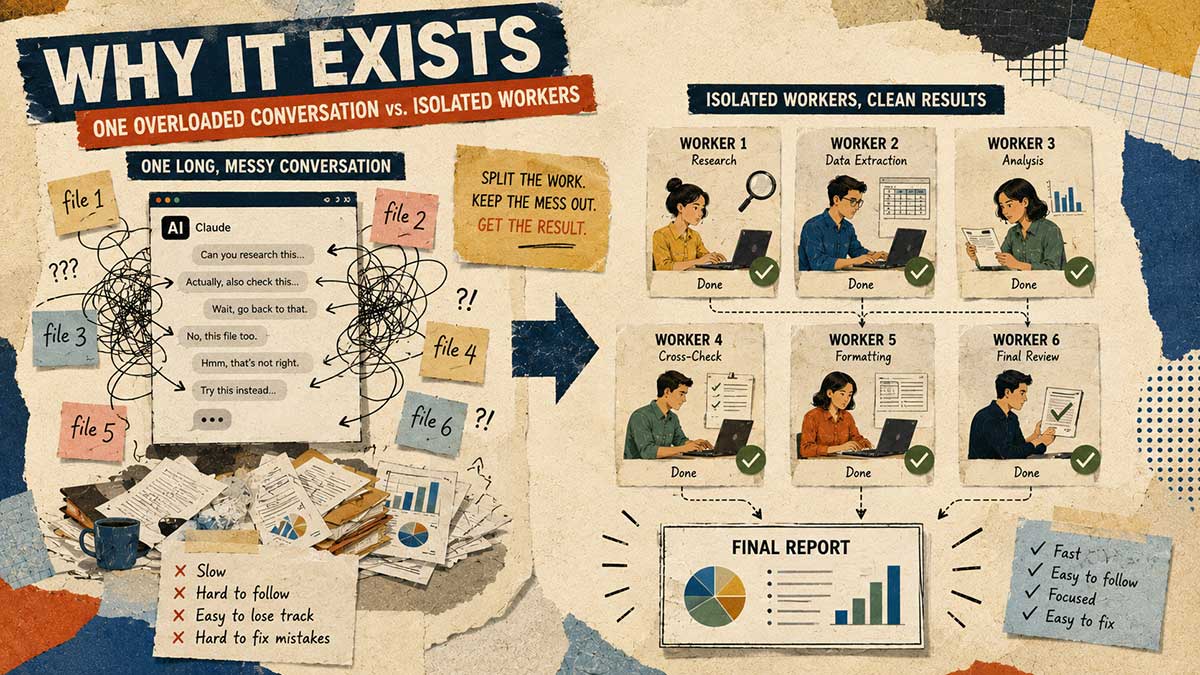
If you've ever had a long Claude conversation start to feel sluggish or slightly off, that's usually because every new message forces Claude to re-read everything that came before it, including the parts that had nothing to do with what you're asking now.
Sub-agents solve this by keeping the mess out of your main thread entirely. Instead of one conversation carrying the weight of research, drafting, and revising all at once, each of those becomes its own separate job, done elsewhere, with only the result flowing back to you. Your main conversation stays clean, focused, and fast.
3. A real Cowork example: delegating file and report gathering
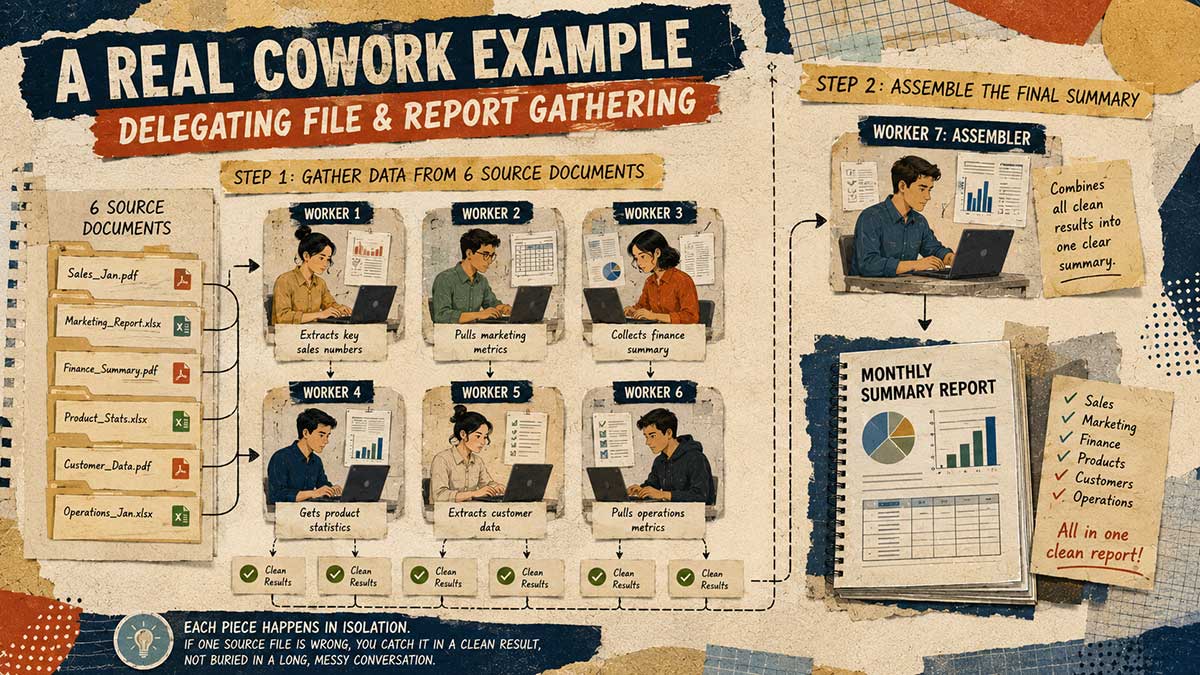
Say you're pulling together a monthly summary that needs input from six different source documents scattered across a folder. Doing this in one conversation means Claude reads all six, cross-references them, and drafts the summary, all in a single unbroken chain of thought, and if something's slightly off in file three, you're wading back through the whole thread to find where it went wrong.
With sub-agents, you can instead say: have one worker pull the relevant numbers from each source file, and once all six are done, hand the results to a second worker whose only job is assembling them into the final summary. Each piece happens in isolation. If one source file turns out to be the wrong version, you catch it in a clean, contained result, not buried in a page of mixed reasoning about six documents at once.
4. When to actually use one vs. just doing it yourself
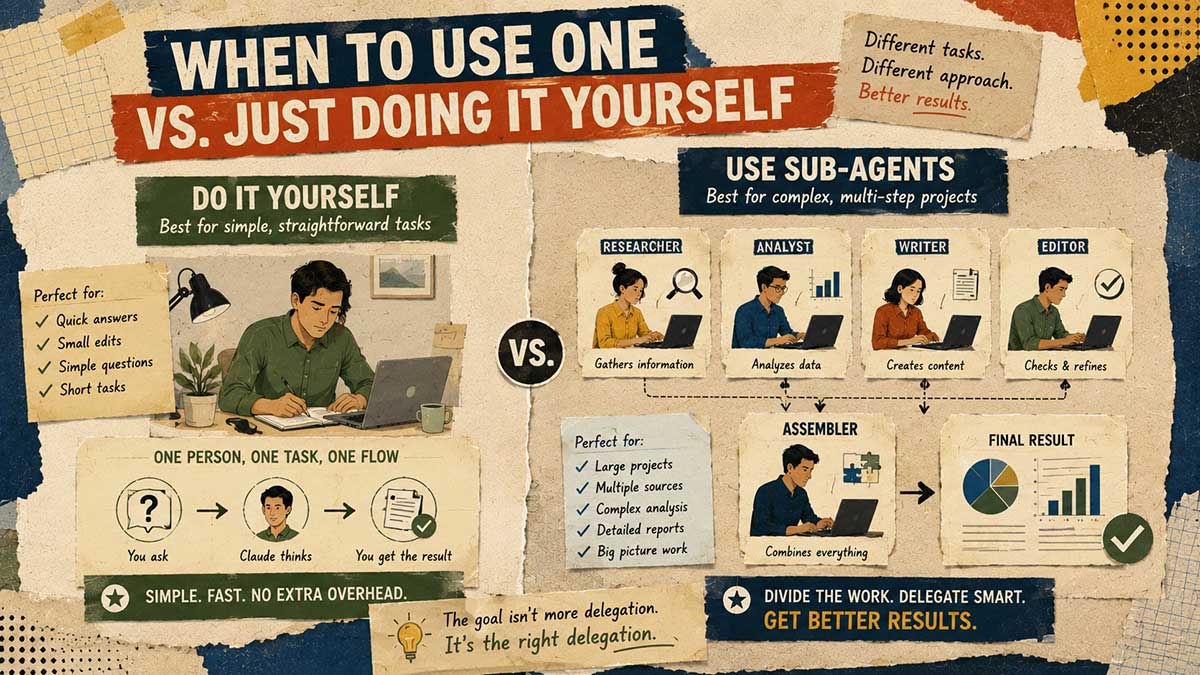
Delegation is a genuine upgrade for a lot of tasks, but it's not always a substitute for asking directly. It's suited to work with a clear, separable job description, something you could hand to another person and say "just do this part."
If a task can be broken into distinct, independent pieces (research this, then draft that, then check the other), sub-agents are the right shape. If the task is really just one continuous train of thought that depends on itself at every step, you're often better off doing it in a single conversation and skipping the delegation layer entirely.
5. When not to use them: sequential work, trivial tasks
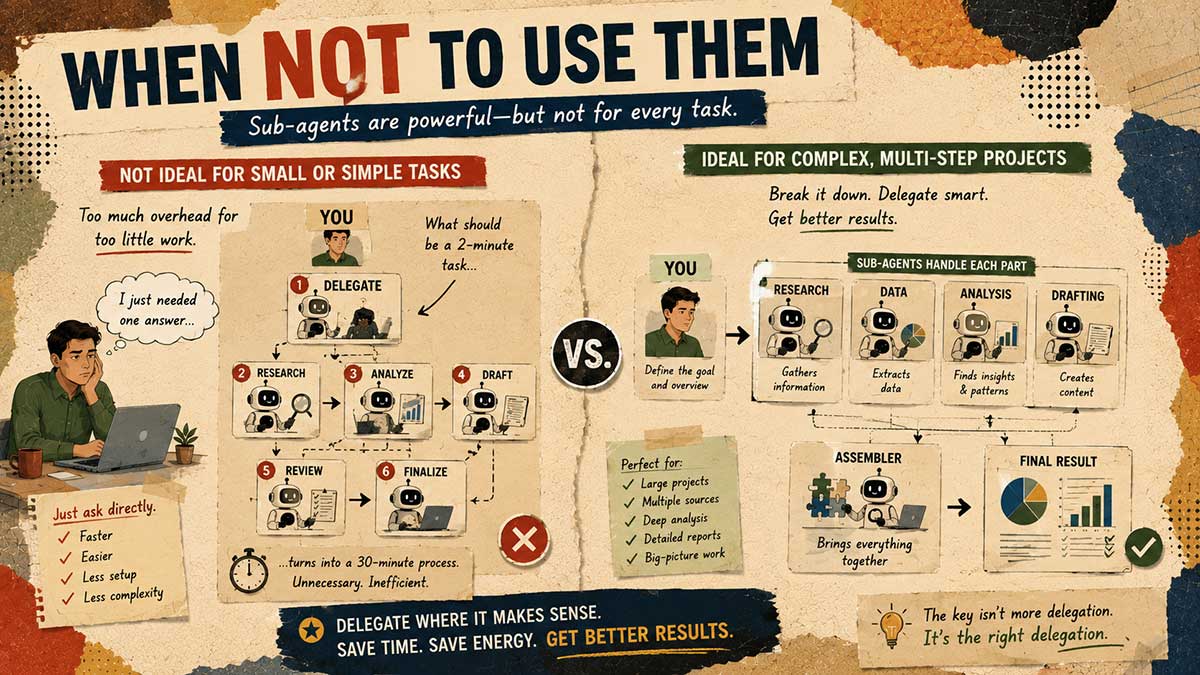
The flip side matters just as much. If a task is small enough that you could finish it in a couple of exchanges, delegating it usually adds more overhead than it saves. You're spending time describing the job clearly enough for a separate worker when you could've just asked the question directly.
Sub-agents also don't help much on work that's genuinely sequential, where each step only makes sense once you've seen the result of the step before it. That kind of back-and-forth is what a normal conversation is actually built for. Save delegation for jobs that split cleanly, not ones that unfold one decision at a time.
6. Writing the "job description" so delegation actually works
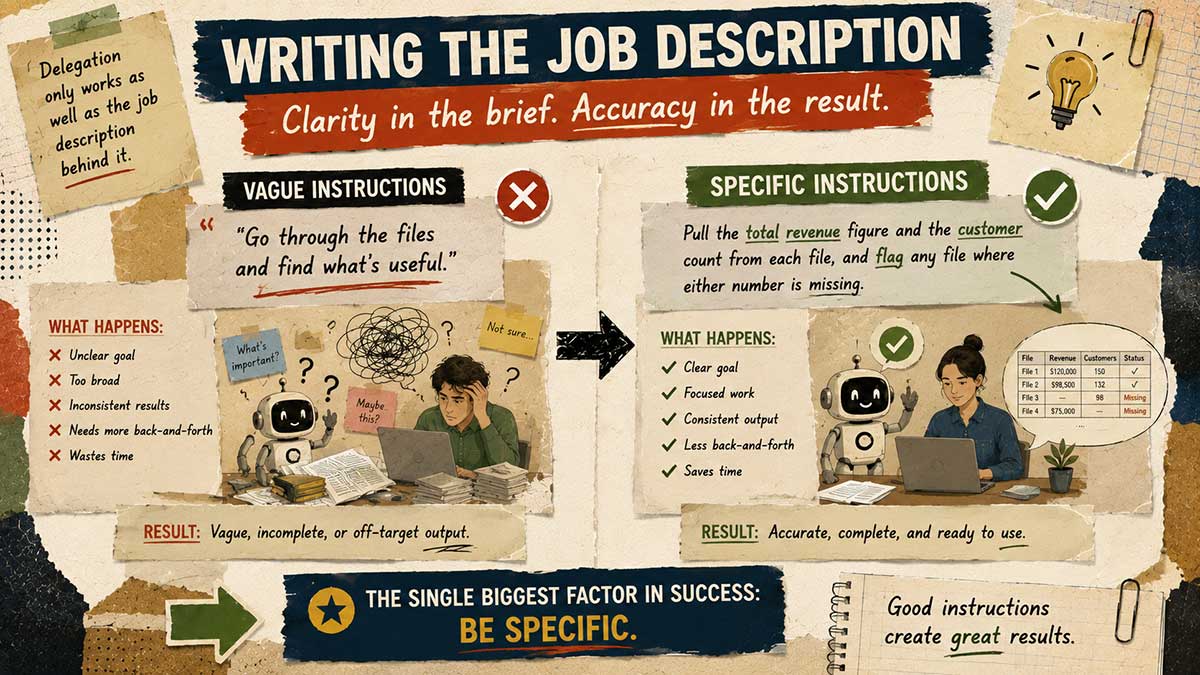
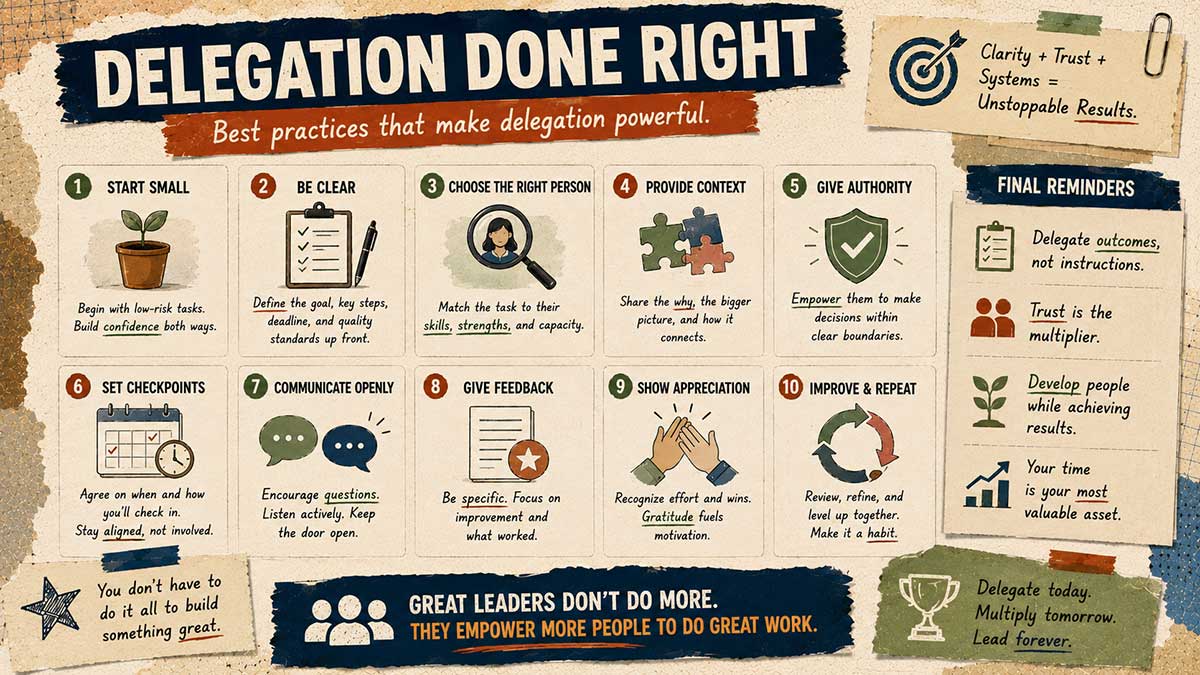
This is the part almost everyone gets wrong the first time. A vague description of what a sub-agent should do produces a vague result, the same way handing a researcher a one-word topic gets you a stack of loosely related articles instead of the specific answer you needed.
"Go through the files and find what's useful" is not a job description. "Pull the total revenue figure and the customer count from each file, and flag any file where either number is missing" is. The more specific the brief, the more reliable the delegated result, and this is genuinely the single biggest factor in whether Claude sub-agents, explained simply, ever actually feel like an upgrade rather than just an extra layer of confusion.
7. Giving the whole project its own memory file
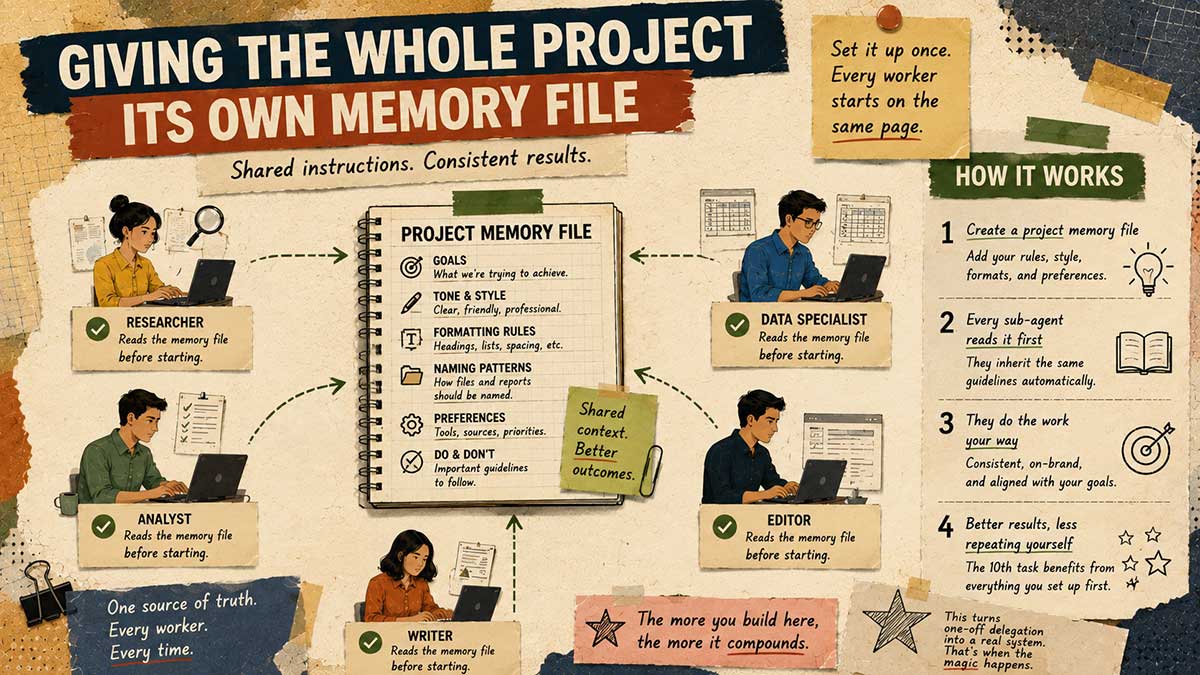
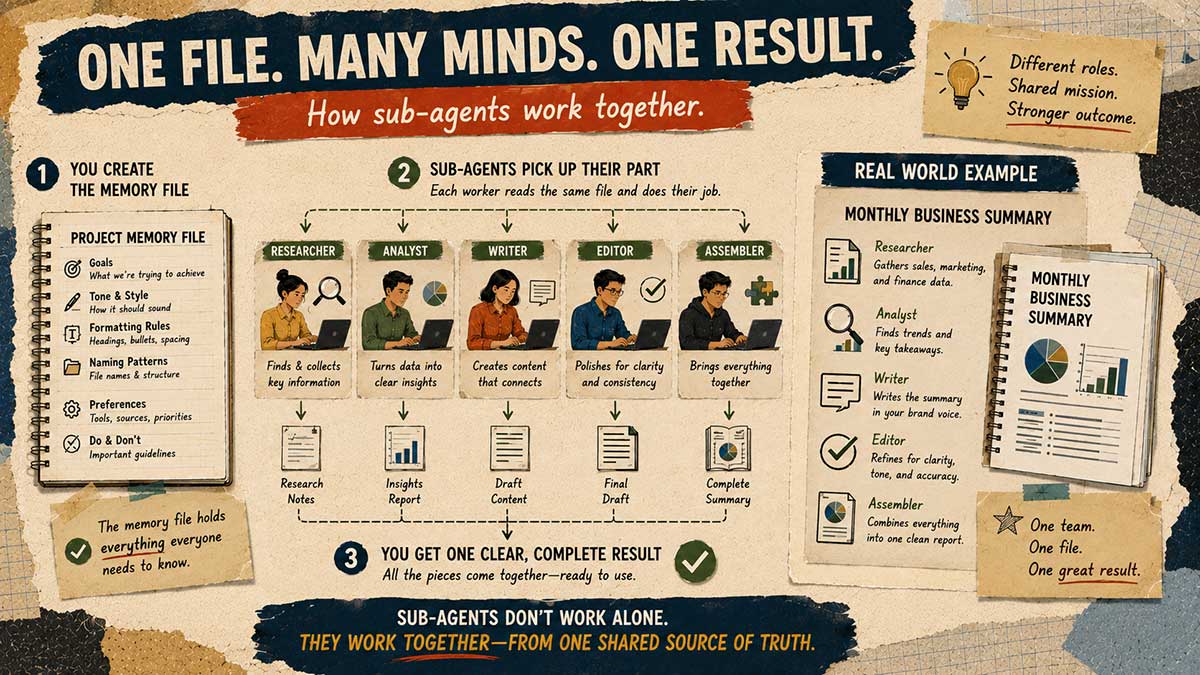
Once you're comfortable handing work to individual sub-agents, the next step is giving the entire project shared instructions they all inherit automatically, so you're not writing a fresh job description from scratch every single time.
There's a way to give an entire project standing context that persists across every session, not just your personal memory but the project's own conventions: naming patterns, formatting rules, the stuff you'd otherwise repeat every time you open it.
Set this up once, and every worker Claude delegates to within that project already knows the shape of the work before you say a word about it. This is what turns a one-off delegation into something that compounds. The tenth task benefits from everything you set up on the first.
8. Making Claude check itself before it commits: hooks, plainly explained
A hook is a rule that fires automatically around an action, before Claude commits to something or hands back a result. Think of it as a checkpoint you don't have to remember to enforce yourself.
Here's what that looks like in practice: before a report gets marked finished, a hook can automatically check that every heading follows your formatting rules, and stop the process if one doesn't. Or before Claude edits an existing file, a hook can automatically save a backup copy first, so an edit gone wrong never means starting over from nothing.
In plain terms: instead of hoping Claude followed your rule or double-checked something before finishing, a hook makes that check happen automatically, every time, without you having to catch it after the fact. It's the difference between reviewing everything Claude does and only reviewing the small number of cases where the automatic check actually flagged something. Worth knowing going in: hooks are a newer part of this layer and behavior can still vary a little as the feature matures, so treat any hook you set up as something to double-check the first few times rather than trust blindly on day one.
9. Plugging in outside tools without needing to code them yourself
Gmail and Calendar cover the basics, but a lot of the tools you actually use day to day aren't built in by default. This is where connectors, often called MCP servers, come in. They let Claude reach into a specific tool you rely on, without you writing any integration code yourself, things like Notion, Slack, Airtable, or GitHub, depending on what your work actually runs on.
If there's a task tied to a specific piece of software you use constantly and it feels like it should be automatable, there's a decent chance a connector for it already exists, ready to plug in rather than build from scratch.
10. The real limits: an honest look
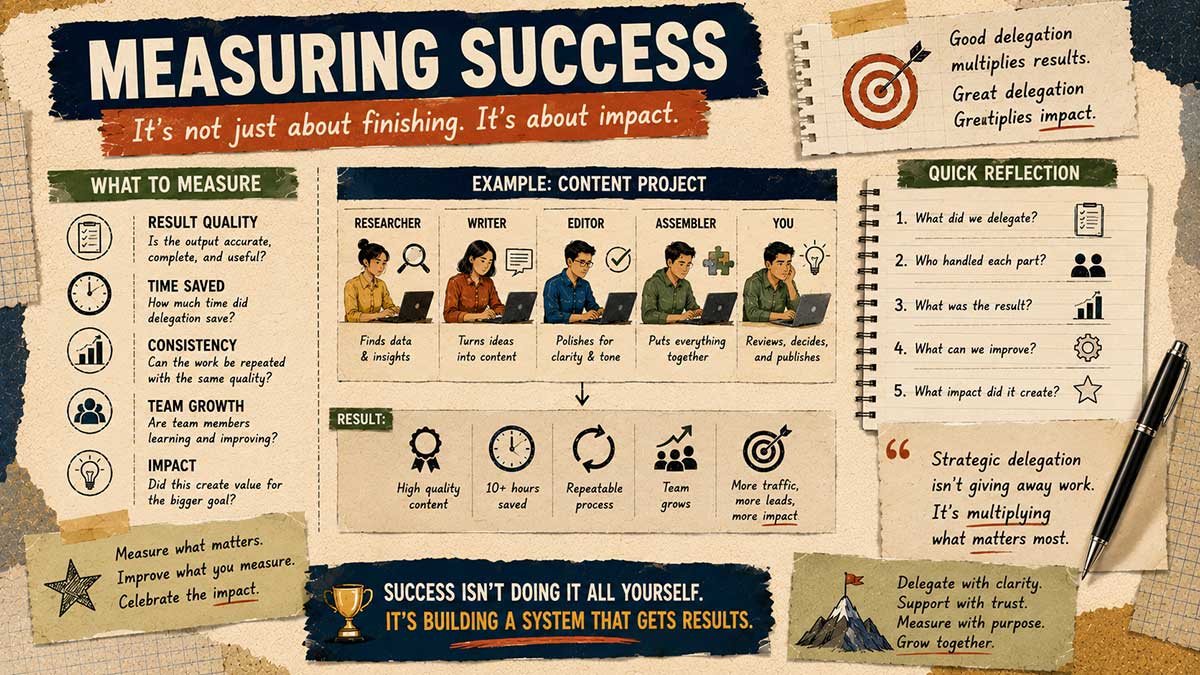
A few things worth knowing before you build a whole workflow around this. Scheduled and background tasks often need your computer to actually be awake and running to execute. Set something for early morning and step away from your machine, and it may simply not happen. Sub-agents also don't talk to each other mid-task; each one works in isolation and reports back, which is exactly what makes them clean, but it also means they can't coordinate with each other the way two people working side by side might.
And delegation doesn't remove the need for a verification step. A sub-agent's result should still get a once-over before it feeds into something bigger, the same way you'd check a researcher's citations before quoting them in something you're putting your name on.
Beyond delegation: the rest of the advanced layer
Sub-agents are one piece of a broader Claude AI agent workflow that a genuine power user ends up assembling over time. Once delegation feels natural, a few adjacent pieces are worth knowing exist, even if they're not this article's focus: Claude Design, for turning a request into an actual clickable prototype instead of a static mockup, and phone-to-desktop dispatch, for firing off a task the moment you think of it instead of holding it in your head until you're back at your machine. Neither replaces sub-agents. They sit alongside them as separate tools in the same advanced, no-coding-required tier.
Where this leaves you
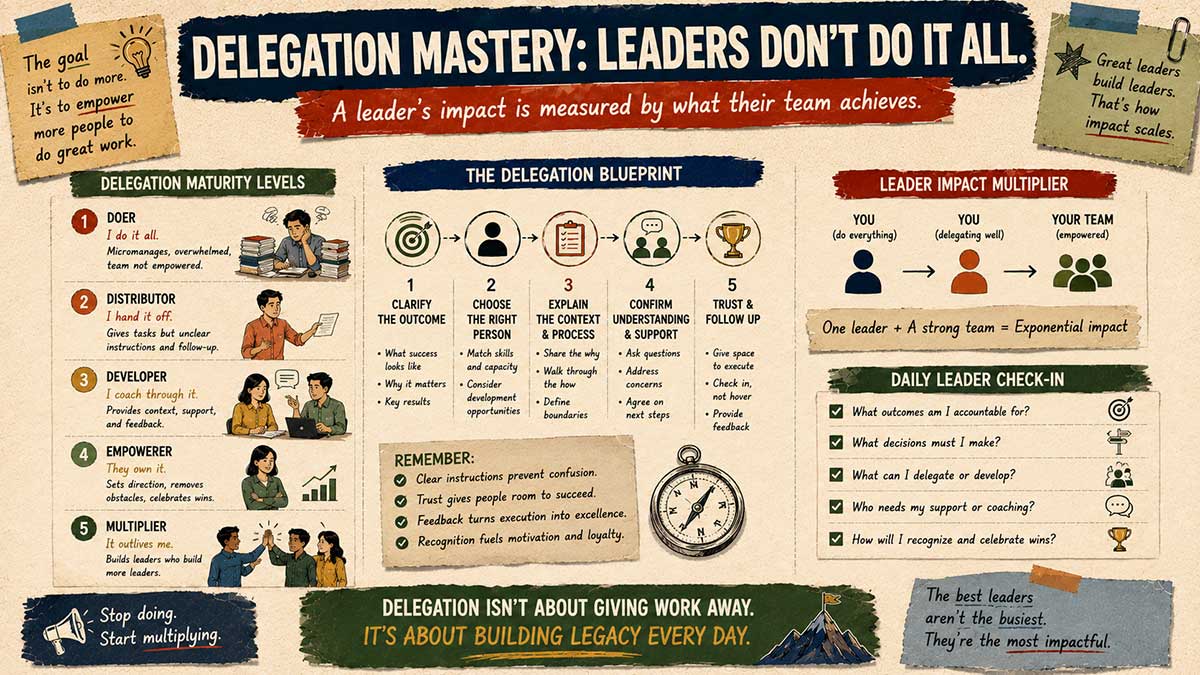
None of this requires a coding background, and none of it requires Claude Code specifically. The same delegation concept works inside Cowork, built for exactly this kind of non-developer, real-work use case.
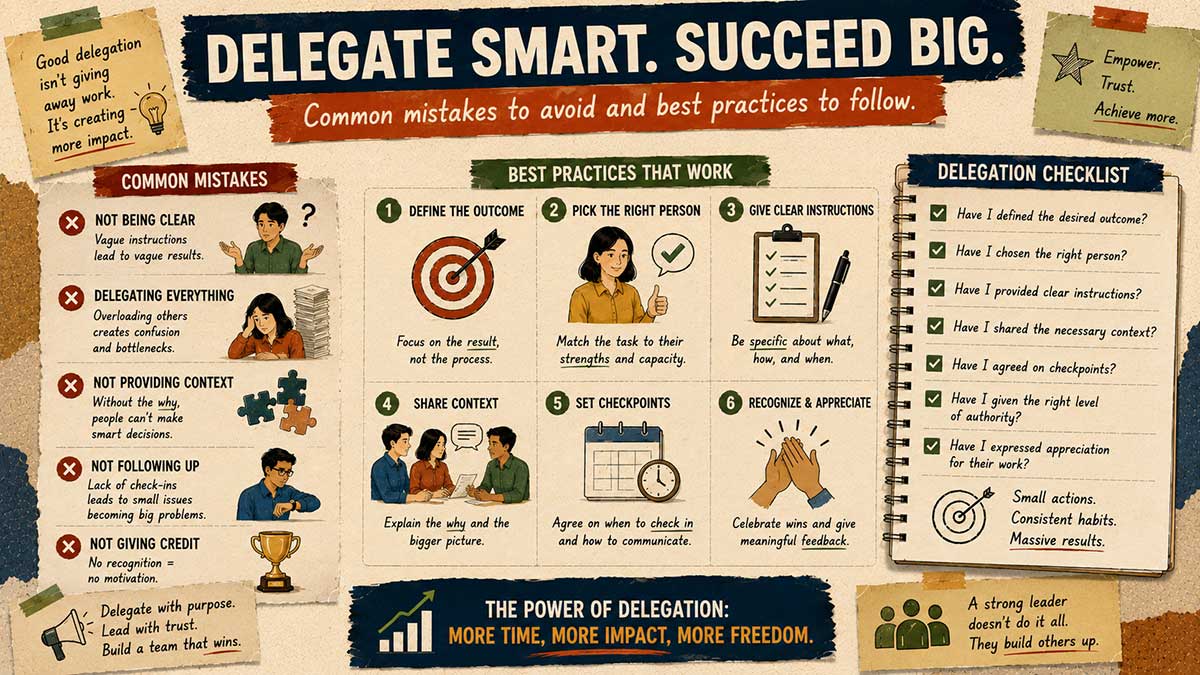
Once you stop treating every task as something you have to push through in one long conversation, and start treating it as work you can split into clean, separate pieces, the whole system starts making a lot more sense. If you take one thing from this, it's tip six. Delegation only works as well as the job description behind it. Get that part right, and the rest of this follows naturally.

Leave a Reply